Framing
Aspect ratio
Use --ar at the end when the output needs a wide, square, or vertical frame.
Turn a visual reference into a focused Midjourney prompt that names the scene before you tune its frame, style, and variation.
Build a prompt from an image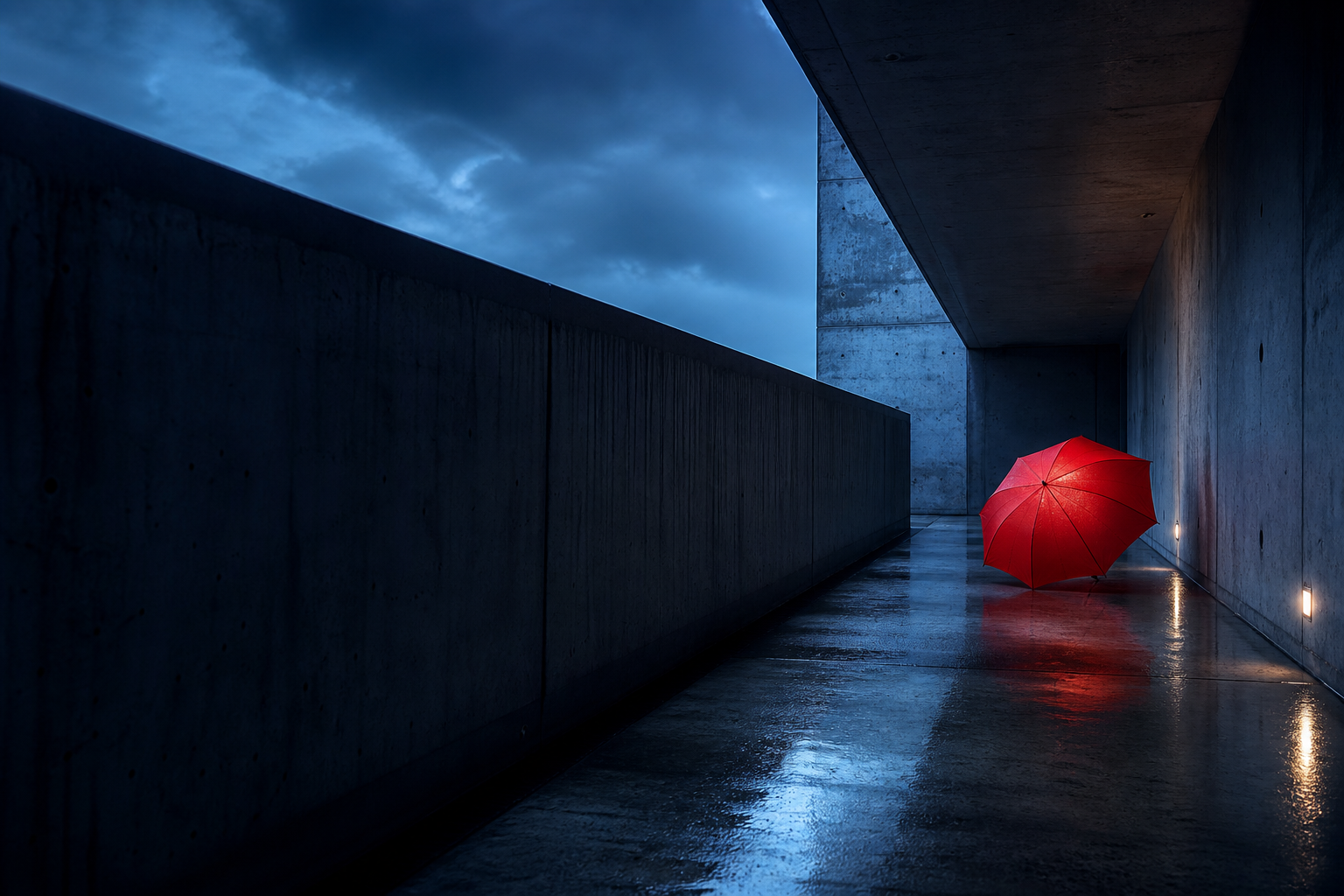
Midjourney works best when the prompt first states what should appear. Parameters belong at the end, after the descriptive language.
an empty brutalist concrete passage after rain
a single red umbrella leaning against the wall
blue-hour storm light, reflective pavement, cinematic tension
wide-angle view, low eye level, deep vanishing point
Use --ar at the end when the output needs a wide, square, or vertical frame.
Use --stylize or --s when you want more or less of Midjourney's artistic interpretation.
Use --chaos or --c to influence how varied the initial image results feel.
When a reference matters, identify whether it gives you a subject, a composition, or a visual style. That keeps the text prompt purposeful instead of contradictory.
Explore image-to-text promptsState the new subject and scene in plain language.
Name medium, palette, texture, and lighting only when they matter.
Describe camera position and crop before reaching for aspect ratio.
Place Midjourney parameters after the prompt text, with a space before the dashes.